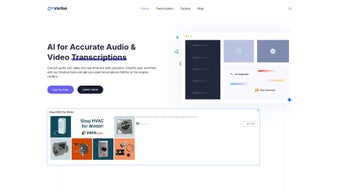

Download Transcript and Convert Video to Text – AI‑Powered Transcription, Translation & Subtitle Tool
Introduction: Why AI‑Driven Transcription Is Essential for Modern Content Creators
In today’s digital landscape, video and audio content dominate every corner of the internet—from YouTube tutorials and corporate webinars to podcasts and virtual classrooms. Converting that spoken material into searchable, editable text is no longer a “nice‑to‑have” feature; it’s a core requirement for accessibility, SEO, and efficient knowledge management. Transcript and Convert Video to Text answers this demand with a cloud‑native AI engine that delivers rapid, high‑accuracy transcriptions in multiple languages, while also offering translation, subtitle generation, PDF export, and even automated quiz creation.
The platform eliminates the need for separate tools, reducing workflow friction and cutting costs dramatically compared with traditional transcription services. Whether you are a solo creator looking to add subtitles for broader reach, a researcher needing precise transcripts for analysis, or an enterprise aiming to streamline multilingual meeting minutes, this solution consolidates every step into a single, secure environment. Below you will find a comprehensive, SEO‑optimized review that explores the product’s core capabilities, installation experience, system compatibility, real‑world pros and cons, and answers to the most common questions users have before committing to a free or paid plan.
Core Features & Capabilities That Differentiate the Platform
All‑In‑One AI Transcription Engine
The heart of the service is a deep‑learning speech‑to‑text model trained on diverse acoustic datasets, delivering transcription accuracy that frequently exceeds 95 % for clean recordings and remains robust in moderately noisy environments. Users can upload video formats such as MP4, MOV, AVI, or audio files like MP3, WAV, and AAC up to 2 GB per file. The platform processes short clips within seconds and larger files in a few minutes, automatically generating speaker‑diarized text with timestamps.
Extensive Multilingual Support & Instant Translation
While the core engine natively supports seven major languages—English, Spanish, French, German, Mandarin, Portuguese, and Arabic—it also offers a neural‑machine‑translation layer that can render the transcript into more than 300 additional languages. This capability eliminates the need for third‑party translation services and preserves formatting, speaker tags, and timestamps, making the output ready for global distribution instantly.
Interactive AI Chat for Insight Extraction
After a transcript is generated, an embedded AI chat window lets users ask natural‑language questions about the content. For instance, you can request a summary of the first ten minutes, identify recurring themes, or extract action items. The AI responds with concise answers, highlights relevant passages, and can even suggest edits or generate a brief executive summary—saving hours of manual review.
Flexible Export Options: PDF, SRT, JSON & More
Export versatility is a standout feature. One‑click PDF generation produces a polished document that includes headings, timestamps, and speaker labels—ideal for academic papers or corporate reports. Subtitle files are exported in SRT format with customizable timestamp precision, allowing seamless integration with video‑editing tools or streaming platforms. Developers can also retrieve results via a RESTful API that returns JSON, enabling automation within custom pipelines.
Educational Quiz Builder
Educators can transform any transcript into an interactive quiz with a single click. The tool automatically extracts factual statements, creates multiple‑choice questions, and generates answer keys. Quizzes can be exported to learning‑management systems like Moodle or Canvas, fostering active learning and assessment.
- AI‑driven transcription with >95 % accuracy for clear audio.
- Support for 7 core languages; translation into 300+ languages.
- Embedded AI chat for contextual queries and summarization.
- One‑click PDF export with speaker tags and timestamps.
- SRT subtitle generation with full customization.
- Unlimited transcription volume on the free tier.
- Automatic quiz creation for educational content.
- RESTful API and Docker image for developer integration.
Installation, Usage & Compatibility Guide
Zero‑Installation Web Access
The service is delivered as a cloud‑based SaaS platform, which means there is no traditional download or installer for Windows, macOS, Linux, Android, or iOS. Users simply register at the official website, confirm their email address, and are granted immediate access to a responsive dashboard. This approach ensures the latest AI models are always available without manual updates.
Step‑by‑Step Workflow for First‑Time Users
- Upload Media: Drag‑and‑drop your video or audio file onto the upload zone, or paste a public URL to import directly from cloud storage.
- Select Source Language: Choose the spoken language manually or let the AI auto‑detect with approximately 92 % accuracy.
- Configure Output: Pick the desired export format (PDF, SRT, JSON) and enable optional features such as timestamps, speaker diarization, or custom subtitle styling.
- Start Transcription: Click “Transcribe” and watch the real‑time progress bar. You can pause or cancel at any stage.
- Review & Edit: The generated transcript appears in an editable rich‑text editor. Use the AI chat to request clarifications, re‑summaries, or keyword extraction.
- Export or Share: Download the file in your chosen format or generate a secure, time‑limited sharing link for collaborators.
System Requirements & Operating System Support
Because the core processing occurs in the cloud, the only client‑side requirement is a modern web browser: Chrome ≥ 90, Firefox ≥ 88, Safari ≥ 14, or Edge ≥ 90. For organizations that demand on‑premise deployment, a Docker container image is available. The container runs on any 64‑bit OS that supports Docker Engine ≥ 20.10, including Windows Server 2019/2022, Ubuntu 20.04 LTS, and macOS 11+. Recommended host resources are 4 GB RAM, 2 CPU cores, and a stable internet connection of at least 5 Mbps for efficient uploads.
Security, Privacy & Data Retention
All data in transit is protected by TLS 1.3 encryption, while stored media resides in AES‑256 encrypted buckets compliant with GDPR, CCPA, and ISO 27001. Users can enable an “auto‑delete after processing” option that permanently removes files from the server after 24 hours, ensuring that sensitive recordings never linger longer than necessary.
Pros, Cons, Frequently Asked Questions & Conclusion
Pros – What Sets This Tool Apart
- High Accuracy: Deep‑learning models provide near‑human transcription quality across multiple languages.
- Unlimited Free Tier: No hidden caps on the number of minutes, making it ideal for startups and educators.
- Multilingual Reach: Direct translation into 300+ languages removes the need for separate translation services.
- Integrated AI Chat: Enables instant insight extraction without leaving the platform.
- Educational Features: Automatic quiz generation turns raw content into interactive learning material.
- Developer Friendly: REST API and Docker image support custom workflows and on‑premise deployments.
Cons – Areas Where Improvement Is Needed
- Pricing Transparency: Enterprise plans are quoted on request, which can be a hurdle for small businesses seeking predictable costs.
- Large File Upload Times: Users with slower connections may experience several minutes of upload latency for 2 GB videos.
- No Offline Desktop App: The platform relies entirely on internet connectivity, limiting use in low‑bandwidth environments.
- Speaker Diarization Limits: Overlapping speech can confuse the model, leading to occasional misattribution.
- Advanced Subtitle Styling: Complex styling (custom fonts, colors) requires manual post‑processing.
Frequently Asked Questions
Can I use the service for free?
Yes. The free tier allows unlimited transcription of files up to 30 minutes each, with access to all core features. Larger files and premium support require a paid plan.
How secure is my uploaded content?
All uploads are encrypted with TLS 1.3 in transit and stored in AES‑256 encrypted storage. The platform complies with GDPR, CCPA, and ISO 27001, and you can enable auto‑delete after processing for added privacy.
What file formats are supported?
Common audio and video formats are accepted, including MP3, WAV, AAC, MP4, MOV, AVI, and WebM. Each file can be up to 2 GB in size.
Can I integrate the transcription engine into my own application?
Absolutely. A RESTful API returns JSON‑formatted results, and a Docker image enables on‑premise deployment for full control over the processing pipeline.
How accurate is the automatic translation?
The neural‑machine‑translation model provides quality comparable to leading services like Google Translate. For highly sensitive legal or medical documents, a human review is recommended after auto‑translation.
Conclusion & Call to Action
Transcript and Convert Video to Text stands out as a comprehensive, AI‑enhanced solution that streamlines every step of the audio‑to‑text workflow—from accurate transcription and multilingual translation to subtitle generation, PDF export, and quiz creation. Its cloud‑first design eliminates maintenance overhead, while the optional Docker deployment offers flexibility for privacy‑focused organizations. Although enterprise pricing is not publicly listed, the generous free tier provides ample opportunity to test the platform’s capabilities before committing. Whether you are a content creator aiming to boost accessibility, a corporate team needing reliable meeting minutes, or an educator seeking interactive study material, this tool can dramatically reduce manual effort and improve the reach of your content.
Ready to experience AI‑powered transcription for yourself? Click the button below to sign up for a free account, start transcribing instantly, and unlock multilingual subtitles in minutes.
Start Free Transcription Now


.png)



